Training videos we make
We produce presenter-led training videos for the subjects most organisations need to cover clearly and consistently. This page helps you compare the main video types so you can choose the right format for your learners, content and rollout.
Training videos built for real workplace learning
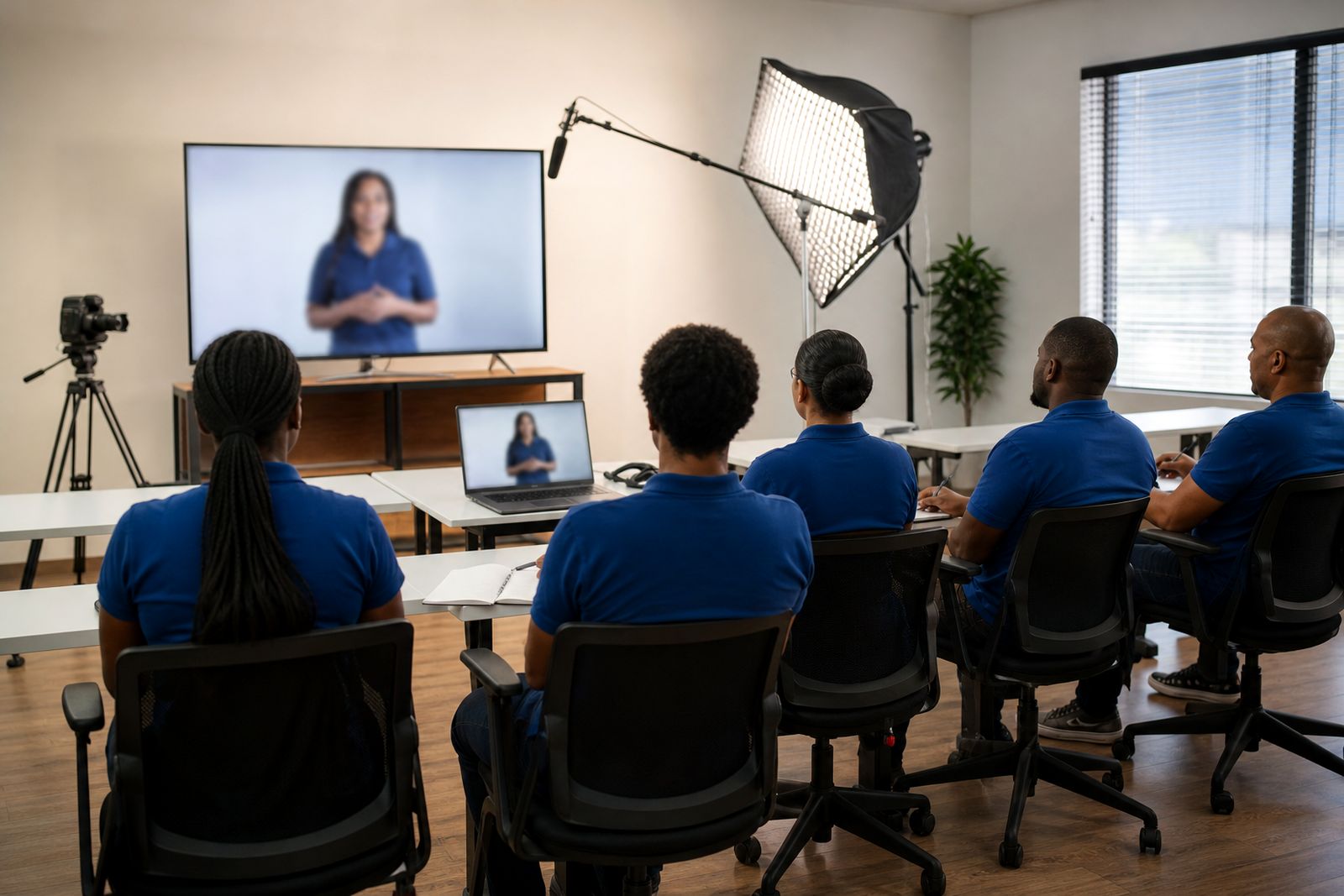
Not every training topic needs the same style of video. A new starter induction has a different job to do from a safety refresher, and a product explainer needs a different pace from a compliance module. We create training videos with presenter avatars, screen content, branding, subtitles and voice options so the final lesson fits the subject instead of forcing every topic into one template.
Our team works from your slides, notes, policies, process documents or existing material. We can shape these into a script, match the presenter style to the audience, add your colours and visuals, and export files suitable for learning platforms used by businesses, colleges, schools and training providers across South Africa.
The main training video types we produce
Most projects in this section fall into four practical categories. These are often the easiest starting point when planning a training library.
- Onboarding videos: welcome, company basics, workplace rules, systems overviews, role expectations and first-week guidance.
- Safety videos: site rules, hazard awareness, PPE requirements, incident reporting, emergency procedures and toolbox-style refreshers.
- Product training videos: features, use cases, handling steps, common questions, sales support points and internal product knowledge.
- Compliance videos: policy training, regulated procedures, learner declarations, conduct standards and auditable staff communication.
Some clients need one standalone lesson while others need a full set of short modules. If your content crosses categories, that is normal. A retail induction for example may include onboarding basics, product knowledge and compliance points in the same series.
How to choose the right video type
The best choice usually comes down to what the learner must know, do or remember after watching. Start with the training goal, then decide how much detail the video should carry and what supporting material will sit around it.
- Choose onboarding videos when the aim is orientation, confidence and a consistent introduction for new people.
- Choose safety videos when steps must be followed correctly and the consequences of missing a point are serious.
- Choose product videos when learners need to explain, demonstrate or support what is being offered.
- Choose compliance videos when wording, policy coverage and proof of communication matter.
If you are unsure, a simple way to decide is to ask whether the lesson is mainly about settling in, staying safe, knowing the offer, or following a rule. That one question usually clears things up quite quickly.
A practical comparison before you brief us
Before sending an enquiry, it helps to compare the video types against the way your learners will use them. This makes scripting easier and avoids packing too much into one lesson.
- Onboarding: broad overview, friendly tone, often watched once in the first few days, may link to HR documents or checklists.
- Safety: clear step-by-step instruction, direct tone, often repeated, may need site images, signage or process captures.
- Product: benefit plus process explanation, practical tone, often updated when the offer changes, may need feature callouts and examples.
- Compliance: exact wording where needed, formal tone, usually tracked on a learning platform, may need subtitles and downloadable records.
Where learners are spread across branches or studying remotely, shorter modules normally work better than one long video. This is especially useful for mobile viewing during travel between Johannesburg, Pretoria, Centurion and other centres, or for teams fitting learning around shifts and load-shedding schedules.
What we include in these training videos
Each project is shaped around your material and your learners. We can write from rough notes or tidy up existing scripts so the presenter speaks clearly and in the right order. We also build in visual support so the lesson is easier to follow without sounding overdone.
- Script writing or script refinement from slides, notes and process documents.
- Choice of presenter avatar, or a custom presenter based on approved source material.
- Your branding, colours, logo placement and layout preferences.
- Screen captures, diagrams, screenshots and simple on-screen text.
- Voice options in several languages, with subtitles where needed.
- Exports prepared for upload to learning platforms and internal training systems.
Where a client wants an avatar of a real staff member, we only do that with the person's written consent. That keeps the process clear and suitable for internal governance requirements.
Planning a training series that lasts
A good training library is easier to maintain when topics are separated sensibly from the start. Instead of one long all-in lesson, many organisations do better with a small set of focused modules. This makes updates simpler when a policy changes, a product range shifts or a process is revised.
For example, your onboarding series might cover company introduction, systems access and workplace conduct as separate units. Your safety set could split emergency response from manual handling and reporting steps. This approach is cleaner for colleges and training providers too, because modules can be reused in different programmes without rewriting everything from scratch.
If you already know which type of training video you need, the next step is to send us your brief through the enquiry form on our contact page. If you are still weighing up options, this section is the right place to start and then move into the more specific pages for onboarding or safety and compliance.
Explore the range


What our AI Training Videos customers say
Verified Google reviews
Questions we get asked
Can one project include onboarding, product and compliance topics?
Yes. Many training series combine more than one topic area. We usually recommend splitting them into short modules so each lesson has one clear purpose and is easier to update later.
Do you write the script or do we need to supply it?
We can work from your slides, notes, manuals or policy documents and turn them into a script. If you already have a script, we can refine it for clearer presenter delivery and learner flow.
Can you create a presenter based on one of our staff members?
Yes, but only with that person's written consent. If that is not suitable, we can use a different presenter option and still match your branding and training goals.
Tell us about your training video
Send a short note through our contact form about the course or topic, who will watch it and any script or slides you already have.
Open the contact form